User Registration and Accounts
Permissions in XNAT for accessing and manipulating data are governed through each user's account. A user must have a valid and enabled account in order to log in and work with data in XNAT.
Note
An XNAT project can be set to allow guest access to allow users to view and download public data without an account. By default this setting is turned off, and must be enabled by an Administrator.
Account Creation
There are 3 ways in which a user account can be created:
- The user can register an account for themselves
- A new user can be invited to join XNAT by a current user who is a project owner
- A new user account can be created by an XNAT administrator
Registering Your Own Account
In a standard XNAT installation, user accounts must be created by either the user themselves or by the site administrator. Users will be given the option of registering for an account when they first visit the site. At UAB, navigate to xnat.rc.uab.edu/xnat and click Register on the home page. The following registration page will appear
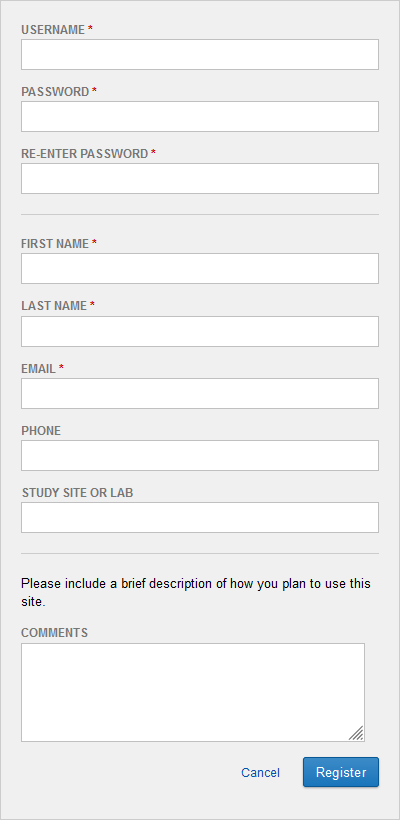
Fill out all of fields and submit registration. Your account should be ready to use.
Being Invited to Join XNAT
An existing project owner may wish to invite you to join XNAT with the purpose of granting you access to their project data. If they do so, you will receive an email from XNAT with a specially coded link called a Project Access Request. Clicking on that link will take you to a customized version of the account registration page, where you can either log in with an existing account, or create a new one.
Contacting a Site Administrator
If you have any trouble registering an account (or with anything else in this guide), message one of the site administrators or visit Rearch Computing office hours on Zoom. Office hours are from 10:00-12:00 on every Monday and Thursday. Zoom links can be found at rc.uab.edu.
Admins:
- Matthew Defenderfer: mdefende@uab.edu